What is VisiMap?
The VisiMap suite of products is designed to fulfill the needs of today's fiber installers, technicians, and Network Operations personnel using safe, efficient, and modern methods. Multi-Fiber Solutions has developed a two-tiered product line to meet the challenges of identifying and testing in today's high-density fiber environments.
Two tiers, three levels
Tier 1 identifies, tests continuity, verifies polarity, and documents. Tier 2 adds 2-way communications and qualification testing through plug-in modules. Everything reads at the 2nd end by camera, never by eye.
LED identification
Zero laser risk, lowest cost. Multimode up to 1 km and single-mode up to 2 km. Identify, test continuity, verify polarity, and document with a 2nd end receiver.
Tier 1 detailsVisible-laser identification
Longer single-mode reach and visible-laser fault location. The 6VFL carries the tap port that steps up to Tier 2; the 12VIR adds an internal near-infrared source.
Tier 1 modulesIdentification plus testing
A Tier 1 module with plug-ins in its tap port. 2-way communications, remote mode switching, power-loss and OTDR qualification testing, all on one connection.
Tier 2 detailsFiber Control Modules
Each FCM assigns unique encoded light signatures to every port simultaneously. Choose the configuration that fits your deployment.
12-port LED module
LED-based encoded identification for any cable type. Low cost, ideal for data centers. Multimode applications up to 1 km and single-mode up to 2 km. Removes laser risk entirely. Modular and expandable to 24, 36, or 48 ports.
6-port VFL module
One for every tech: keyed, proprietary pen-style mini-VFLs, field-expandable to 12 ports. Powered and sequenced by the FCM, no batteries, field-swappable. Optional tap port for CCM/OLS/OTDR.
12-port visible laser
Visible laser module with encoded signatures at 520nm and 650nm wavelengths via DMX512 protocol.
12-port visible + infrared
6 visible and 6 NIR lasers. Internal NIR replaces external OLS module.
2nd end receivers
Camera-based receivers that identify each strand without physical contact. A 7-inch tablet family and a generic-smartphone family, each with a wired otoscope option and a passive large-core fiber option.
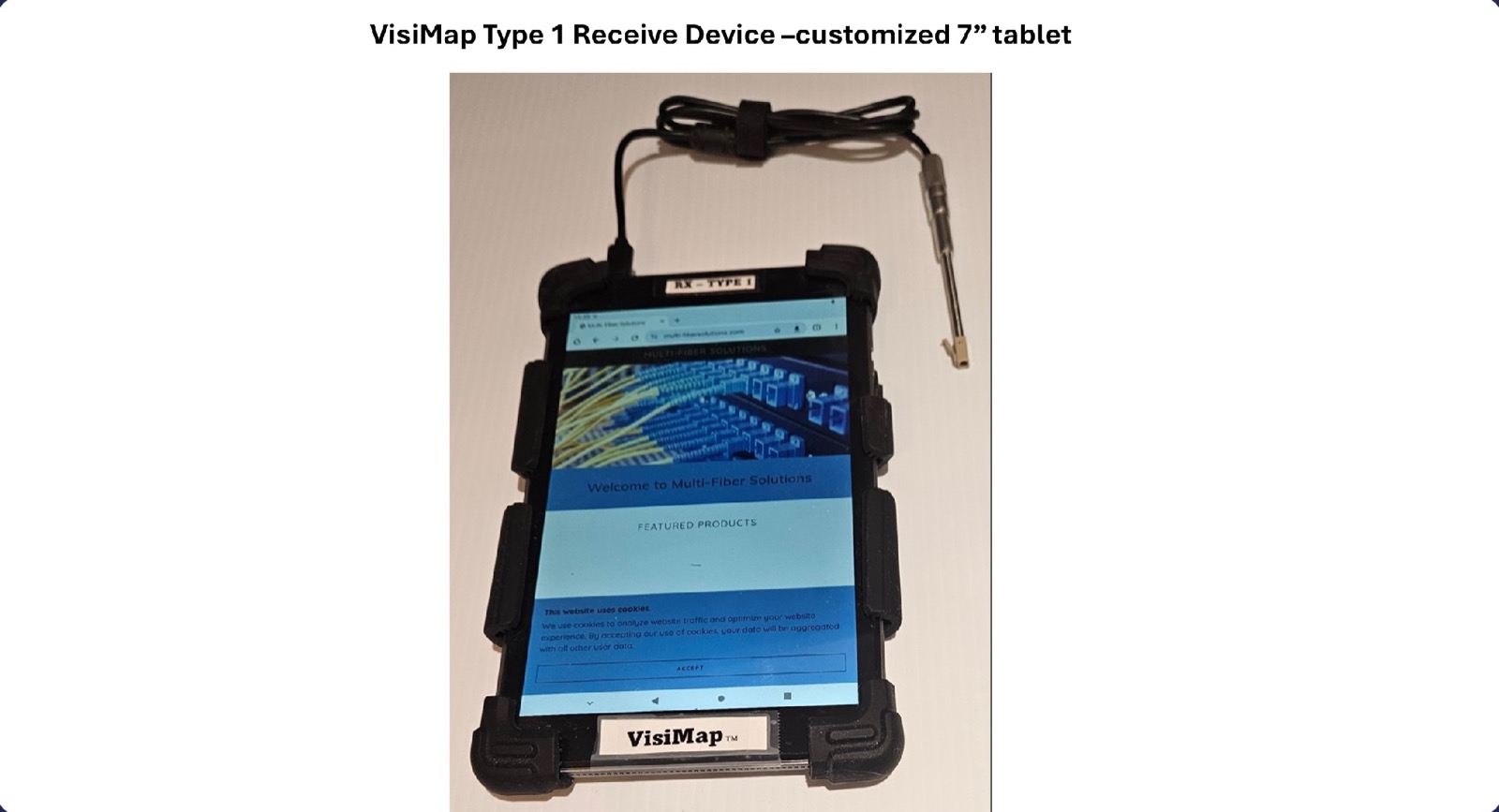
RX-Type 1, 1A, 1B
Modified 7-inch tablet with a wired 3.9mm USB custom otoscope that reads visible and near-infrared light (Type 1); generic tablet reading a 2.8-inch display with its own camera (Type 1A); generic tablet with a passive large-core fiber (Type 1B). Eye-safe indirect viewing with visual and audible identification. WiFi and Bluetooth enabled, cloud-connected documentation.
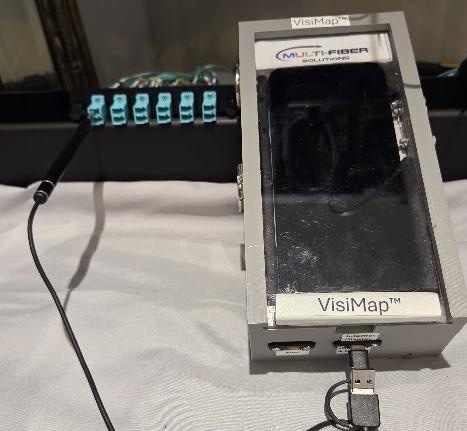
RX-Type 2, 2B
Generic $50 smartphone in a VisiMap enclosure with a wired 3.9mm USB otoscope (Type 2) or a passive large-core fiber to the phone's camera (Type 2B). The VisiMap App (receiver and remote control app) announces each strand and carries the Tier 2 OLS, OTDR, and RemoteView controls.
Expand capabilities on one connection
Optional modules plug into the FCM tap port — adding communications, optical testing, and reflectometry without reconnecting.
CCM
Two-way comms and control. Remote mode switching between ID, VFL, power loss, and OTDR testing. Remote OTDR trace viewing.
OLS module
Optical Light Source for near-infrared wavelength testing. Plugs into FCM tap port.
OTDR module
Optical Time Domain Reflectometer for full fiber characterization, loss measurement, and fault location.
Not sure which configuration you need?
Describe your deployment and our team will recommend the right VisiMap configuration.